Free to try · Images never stored · Results in ~15 seconds
Turn long screenshots
into clean text
Chat logs, meeting notes and long articles — split, read and stitched back into paragraphs with speakers and timestamps — stickers and photos included. Usually in under 20 seconds.
PNG, JPG or WEBP · any length
What you get from a real long screenshot
 7,146 px tall
Maya
Me:Yesterday 9:14 PM
Maya:I might be 30 minutes late for Friday's review - a client call just came up.
Me:No problem. I'll share the agenda and you can jump in at part three.
Mava:Great. I updated the numbers in part three, please use the v3 deck.
Me:Got it. Finance also needs the budget sheet by Thursday evening.
Maya:I'Il finish it tonight and send it over. Did you book a room?
Me:Yes, the big room on the 7th floor, 2 to 4 PM.
Maya:
Maya:Oh, I took a photo of the roadmap we drew on the whiteboard this morning. Anything missing?
Maya: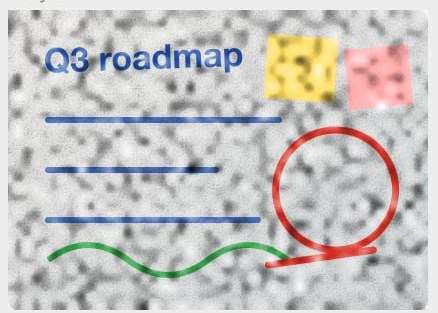
Me:Looks right. Bulk export can move up - engineering says it's ready for QA next week.
Maya:Great, I'Il reorder it. Are team spaces still October?
Me:Yes, the designs aren't final. Mid-October is safer.
Mava:OK. Let's list the risks in the review too.
Me:Sure, I'Il put them on one slide.
Maya:This article on delivery risk is worth a read
Maya:
Me:Today 9:02 AM
Maya:Morning! The client wants to move delivery up to the 15th. Let's check the risk before we reply.
Me:We can talk about it, but testing gets squeezed. They should freeze the scope first.
Maya:Agreed. Let's list it as a risk in the review and decide together.
Me:Sure, adding it as the last agenda item.
Maya:Legal is asking for the signed contract scan. Do you have it?
Me:It's in my inbox. I'll forward it to you and legal before 10.
Mava:Thanks! Can the final agenda go out before 3 PM?
Me:Sure, by 2:30.
Me:
Maya:Haha, see you Friday.
Me:Friday 5:40 РM
Maya:Review's done - great job! l'II write up the decisions and send them to you
Me:Thanks. What did we land on for the delivery date?
Maya:We offered the 18th: three days later than they asked, but testing stays intact. They'I reply Monday.
Me:Good call, nobody has to pull all-nighters.
Mava:Priya found the verification bug: the SMS provider throttles at peak hours. We're adding a backup next week.
Me:Should support send customers a note first?
Mava:Yes - could you draft it? Two or three sentences
Me:Sure, you'll have it tonight.
Maya:Also, the team offsite is Wednesday. Everyone voted for hiking, so bring proper shoes
Me:Ha, time to buy new ones.
Maya:
Me:Have a great weekend!
How it works
- 01
Split in your browser
Tall images are cut into overlapping slices on your device, so nothing is lost at the seams.
- 02
Read in parallel
All slices are recognized at once. Tiny text gets a second, zoomed-in pass.
- 03
Rebuilt as a document
Lines become paragraphs, chats get speakers and timestamps, and AI fixes obvious misreads — showing you every change.
Made for the screenshots you actually have
Chat history
WeChat, WhatsApp, Telegram or Slack scrolls — with who said what, and when.
Meeting notes
Transcripts from Zoom, Teams or Feishu Minutes that you can only screenshot.
Articles & threads
Long posts and web pages, with headings and lists kept in Markdown.
Your screenshots stay yours
Read the privacy policy →- Images are never stored. Slices go to the OCR engine for recognition and are discarded.
- No account needed to try. Sign in only to unlock a result and keep your history.
- AI proofreading sends a few uncertain lines of text. Picture crops are sent only if you ask for image descriptions.
- Payments are handled by Stripe. We never see your card.
Simple pricing
Free
$0
- Unlimited conversions
- Full text for images under 500 characters
- First 30% of longer results
Unlock one image
$0.99
- The full result for that image
- Copy & download Markdown
- Kept in your history
- No subscription
Questions
How long can the screenshot be?+
There's no limit. The image is split in your browser, every slice is recognized, and the pieces are merged by position so nothing is lost where they meet.
How long does it take?+
Most screenshots finish in about 10–20 seconds, and text starts showing up while it's being read. AI proofreading runs afterwards in the background.
What does AI proofread change?+
Only lines the OCR engine was unsure about, or names that disagree with the rest of the image. It fixes misreads when the context supports it, never rewrites sentences or touches numbers, and highlights every change so you can switch it back.
Does it keep stickers and photos?+
Yes. Stickers, photos and cards are cut out of the screenshot and placed back into the Markdown where they were. Copying into Notion, Google Docs or Word keeps the pictures, and the download is a .zip with an images folder. Ask the AI if you also want a one-line description of each picture.
What does “Layout” do?+
Auto detects whether it's a chat, a meeting transcript or an article. Chats get speakers and timestamps, articles get headings and merged paragraphs. You can switch after recognition without uploading again.
Which languages work?+
Chinese, English and mixed text work best. Other languages have basic support.
Is it free?+
Images under 500 characters are completely free. For longer ones you see the first 30% for free and can unlock that image for $0.99.