Chat screenshot to text
A conversation is more than a block of words. Turn a long chat screenshot into a readable transcript, then check who said what before you reuse it.
Drop an image here, or paste with Ctrl V
PNG, JPG or WebP · No account needed to try
Free for images under 500 characters; longer results include a free 30% preview. See current pricing.
When the conversation only exists as an image
Use this for screenshots of WhatsApp, WeChat, Telegram or Slack conversations that you have permission to process. If you still have access to the original chat and can copy or export the text, start there: it avoids recognition errors. OCR is useful when someone shared a screenshot, or the text is otherwise unavailable.
One long screenshot. The complete result.
Explore the full recorded output, including its imperfections. These are our public demo images, not customer uploads. No manual proofreading has been applied to the transcript.
750 × 7,146 pixels · 4 slices · Recorded OCR-only time: 5s. This cached baseline excludes image export and AI proofreading; it is not a fresh speed test or a guarantee.


Rendered Markdown · full output
Maya
Me:Yesterday 9:14 PM
Maya:I might be 30 minutes late for Friday's review - a client call just came up.
Me:No problem. I'll share the agenda and you can jump in at part three.
Mava:Great. I updated the numbers in part three, please use the v3 deck.
Me:Got it. Finance also needs the budget sheet by Thursday evening.
Maya:I'Il finish it tonight and send it over. Did you book a room?
Me:Yes, the big room on the 7th floor, 2 to 4 PM.
Maya: X Got it!
Maya:Oh, I took a photo of the roadmap we drew on the whiteboard this morning. Anything missing?
Maya: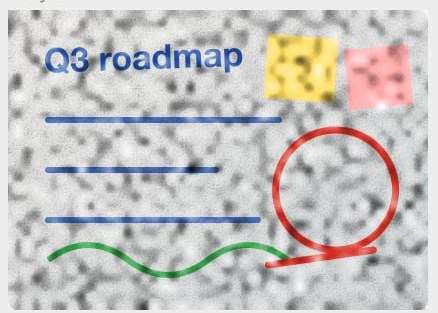 Q3 roadmap
Me:Looks right. Bulk export can move up - engineering says it's ready for QA next week.
Maya:Great, I'Il reorder it. Are team spaces still October?
Me:Yes, the designs aren't final. Mid-October is safer.
Mava:OK. Let's list the risks in the review too.
Me:Sure, I'Il put them on one slide.
Maya:This article on delivery risk is worth a read
Maya: Five things to tell a client before a pr
Me:Today 9:02 AM
Maya:Morning! The client wants to move delivery up to the 15th. Let's check the risk before we reply.
Me:We can talk about it, but testing gets squeezed. They should freeze the scope first.
Maya:Agreed. Let's list it as a risk in the review and decide together.
Me:Sure, adding it as the last agenda item.
Maya:Legal is asking for the signed contract scan. Do you have it?
Me:It's in my inbox. I'll forward it to you and legal before 10.
Mava:Thanks! Can the final agenda go out before 3 PM?
Me:Sure, by 2:30.
Me: Yay
Yay
Maya:Haha, see you Friday.
Me:Friday 5:40 РM
Maya:Review's done - great job! l'II write up the decisions and send them to you
Me:Thanks. What did we land on for the delivery date?
Maya:We offered the 18th: three days later than they asked, but testing stays intact. They'I reply Monday.
Me:Good call, nobody has to pull all-nighters.
Mava:Priya found the verification bug: the SMS provider throttles at peak hours. We're adding a backup next week.
Me:Should support send customers a note first?
Mava:Yes - could you draft it? Two or three sentences
Me:Sure, you'll have it tonight.
Maya:Also, the team offsite is Wednesday. Everyone voted for hiking, so bring proper shoes
Me:Ha, time to buy new ones.
Maya: Let's go!
Me:Have a great weekend!
View complete Markdown source
Maya
**Me**:Yesterday 9:14 PM
**Maya**:I might be 30 minutes late for Friday's review - a client call just came up.
**Me**:No problem. I'll share the agenda and you can jump in at part three.
**Mava**:Great. I updated the numbers in part three, please use the v3 deck.
**Me**:Got it. Finance also needs the budget sheet by Thursday evening.
**Maya**:I'Il finish it tonight and send it over. Did you book a room?
**Me**:Yes, the big room on the 7th floor, 2 to 4 PM.
**Maya**:
**Maya**:Oh, I took a photo of the roadmap we drew on the whiteboard this morning. Anything missing?
**Maya**:
**Me**:Looks right. Bulk export can move up - engineering says it's ready for QA next week.
**Maya**:Great, I'Il reorder it. Are team spaces still October?
**Me**:Yes, the designs aren't final. Mid-October is safer.
**Mava**:OK. Let's list the risks in the review too.
**Me**:Sure, I'Il put them on one slide.
**Maya**:This article on delivery risk is worth a read
**Maya**:
**Me**:Today 9:02 AM
**Maya**:Morning! The client wants to move delivery up to the 15th. Let's check the risk before we reply.
**Me**:We can talk about it, but testing gets squeezed. They should freeze the scope first.
**Maya**:Agreed. Let's list it as a risk in the review and decide together.
**Me**:Sure, adding it as the last agenda item.
**Maya**:Legal is asking for the signed contract scan. Do you have it?
**Me**:It's in my inbox. I'll forward it to you and legal before 10.
**Mava**:Thanks! Can the final agenda go out before 3 PM?
**Me**:Sure, by 2:30.
**Me**:
**Maya**:Haha, see you Friday.
**Me**:Friday 5:40 РM
**Maya**:Review's done - great job! l'II write up the decisions and send them to you
**Me**:Thanks. What did we land on for the delivery date?
**Maya**:We offered the 18th: three days later than they asked, but testing stays intact. They'I reply Monday.
**Me**:Good call, nobody has to pull all-nighters.
**Mava**:Priya found the verification bug: the SMS provider throttles at peak hours. We're adding a backup next week.
**Me**:Should support send customers a note first?
**Mava**:Yes - could you draft it? Two or three sentences
**Me**:Sure, you'll have it tonight.
**Maya**:Also, the team offsite is Wednesday. Everyone voted for hiking, so bring proper shoes
**Me**:Ha, time to buy new ones.
**Maya**:
**Me**:Have a great weekend!For Obsidian: unzip the download, then move the Markdown file and its images folder together into a note folder. The transcript and image links are unchanged apart from making the file paths portable. For a text-only workflow, use the .md download; picture descriptions come from the recorded demo.
How to convert your screenshot
Keep the original resolution
Choose a PNG, JPG or WebP screenshot. Keep the messages, visible speaker names and timestamps. Crop unrelated notifications and redact private information before uploading.
Convert, then choose Chat layout
Open the converter and upload your image. Long2Text splits tall images into overlapping slices. After recognition, choose Chat if automatic layout did not identify the conversation correctly.
Check the conversation, then export
Compare names, dates and the order of messages against the image. Copy the Markdown or download the result. Use Text only if you do not need stickers and pictures.
Review these details before sharing
- Speaker names can be misread, especially when the screenshot only shows an avatar or a cropped name.
- Timestamps must be visible in the image to be transcribed. OCR cannot recover hidden messages or missing dates.
- Quoted replies, narrow bubbles and screenshots inside screenshots can confuse reading order. Check these against the original.
Only upload material you have the right to share. Images are sent for OCR processing; this is not an offline tool. Read how your content is handled.
Questions about chat screenshots
Does this connect to my WhatsApp or other chat account?
No. You upload an existing image; Long2Text does not connect to your chat accounts or retrieve conversations.
Can I search the conversation afterwards?
Yes. Copy or save the extracted text, then search it in your text editor or notes app. Check important matches against the screenshot.
Can I use the transcript as an exact record?
Keep the original image. Recognition and AI proofreading can make mistakes, so the extracted text is a working copy, not a guaranteed exact record.